
UX/UI Design Study
Follett Book eFairs
Reimagining the traditional school book fair as a responsive ecommerce, promotion, and administration platform for students, parents, teachers, coordinators, and internal support teams.
Project Tags
Executive Summary
Follett Book eFairs transformed the familiar school book fair into a digital commerce platform that served families, students, teachers, coordinators, and internal administrators. The experience needed to preserve the excitement of browsing books while supporting practical workflows such as wish lists, shopping carts, checkout, address validation, parent outreach, custom banners, and event administration.
The project extended beyond a customer-facing storefront. It included teacher promotion tools, coordinator sharing workflows, responsive mobile views, shopping cart improvements, address verification, system messaging, session handling, and a configurable banner system for creating themed eFair promotions.
The result was a broad product ecosystem: part ecommerce platform, part school fundraising toolkit, part content management system, and part promotional design tool.
The Challenge
The traditional school book fair is a familiar and beloved experience, but it depends heavily on physical setup, volunteer labor, printed materials, school schedules, and in-person family participation. Moving that model online required more than a storefront. The product needed to support discovery, promotion, communication, purchasing, fulfillment, and administration.
Parents needed a simple way to browse and buy. Teachers needed tools to recommend books and promote their fair. Coordinators needed share links, parent reminders, downloadable materials, and custom promotional assets. Internal teams needed administrative controls for messaging, configuration, banners, assets, and support workflows.
Reimagining a book fair digitally meant designing for an ecosystem, not a single transaction.
Families
Browse books, manage wish lists, review carts, and complete purchases from any device.
Teachers
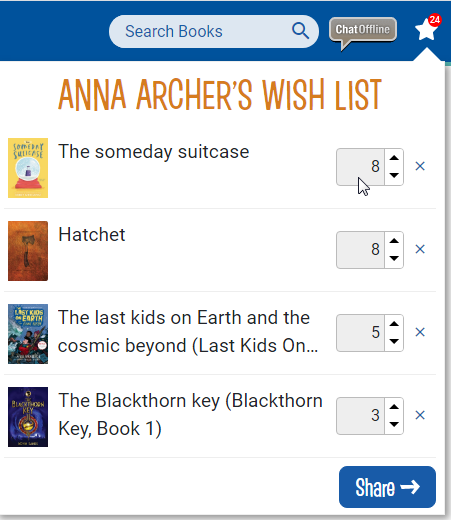
Recommend titles, share wish lists, and encourage family participation in the fair.
Coordinators
Promote events through share links, reminders, downloadable materials, and custom banners.
Administrators
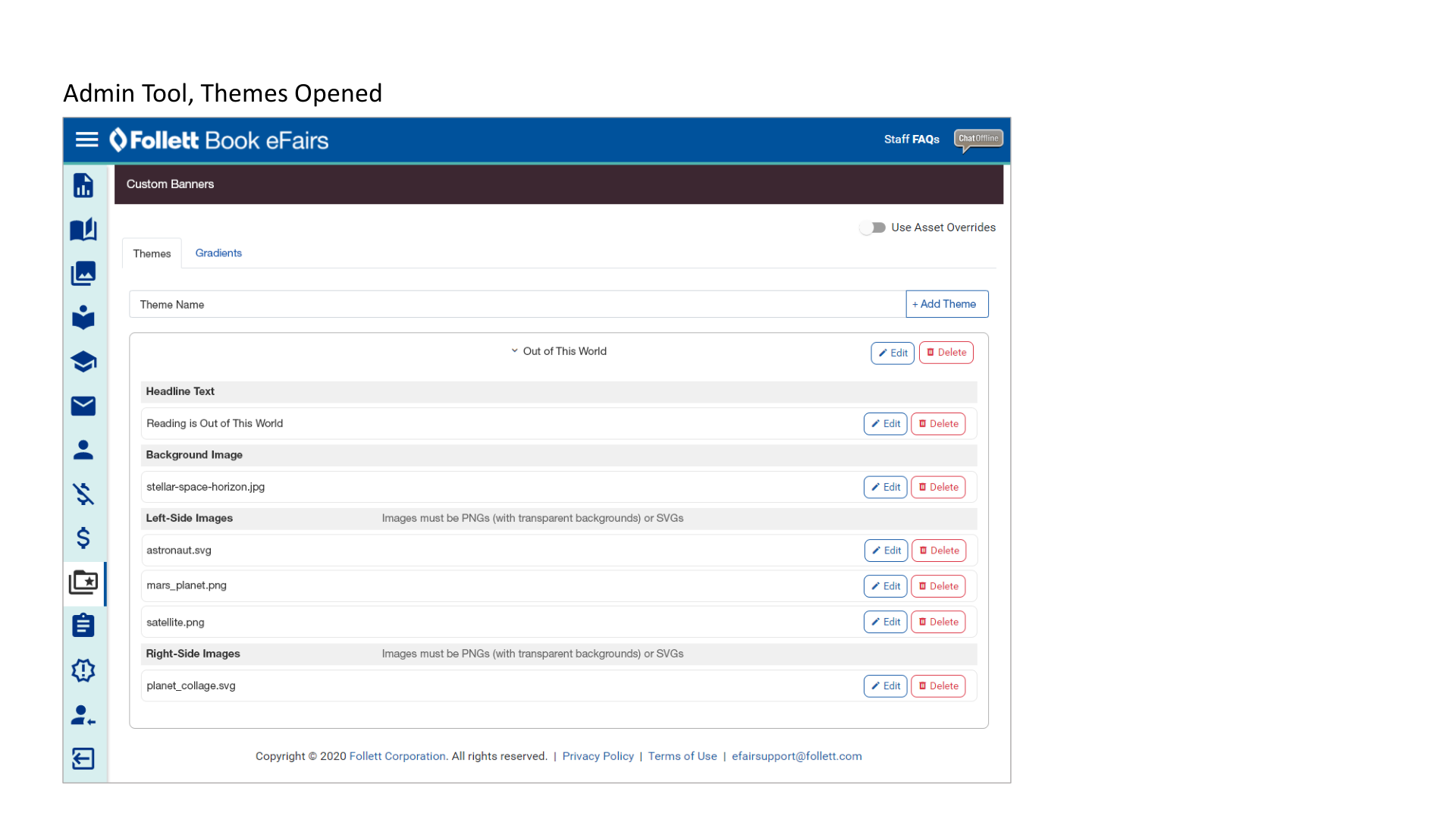
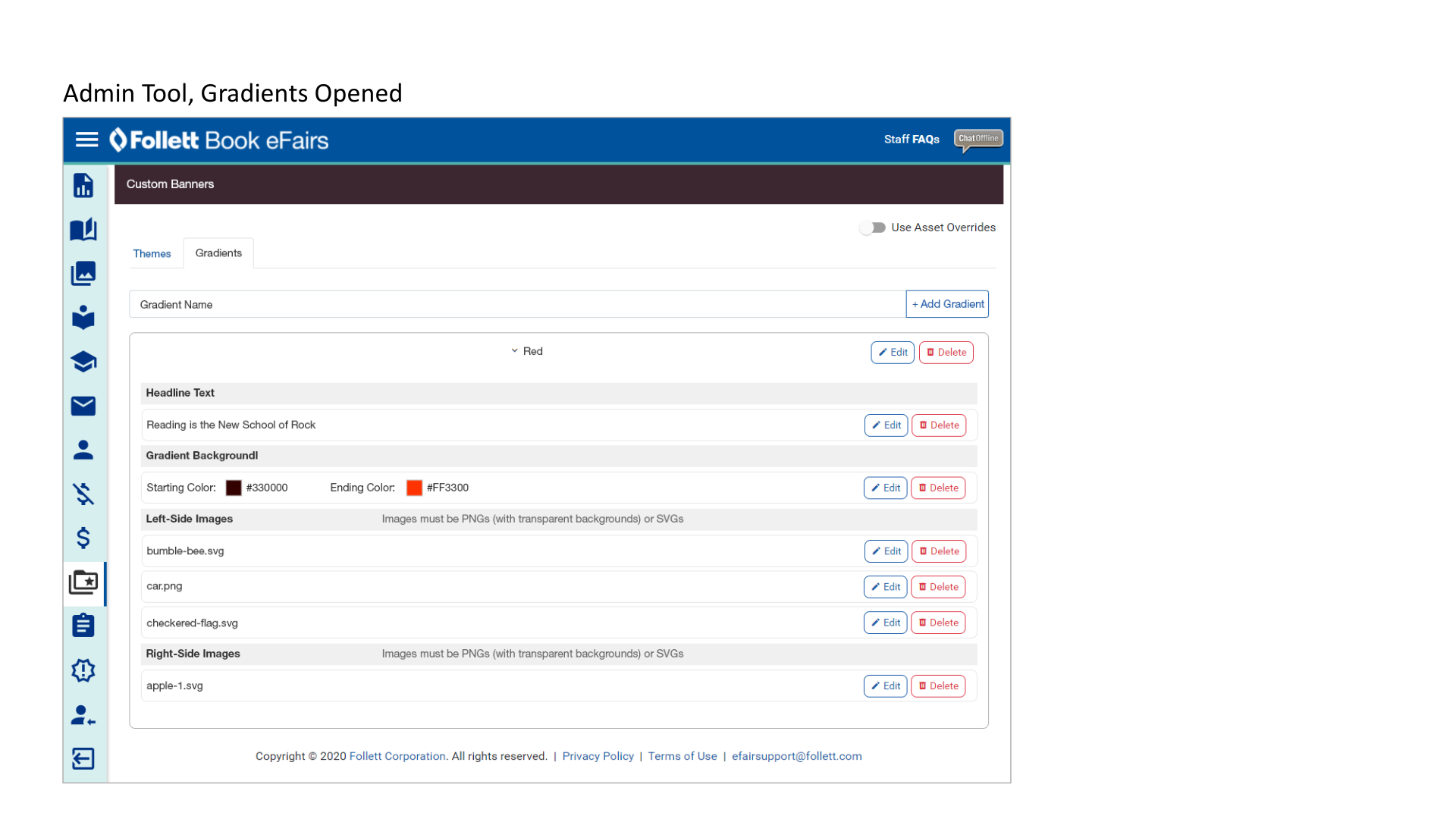
Manage messaging, themes, graphics, gradients, configuration, and support-related workflows.
Customer Experience
Designing the Shopping Experience
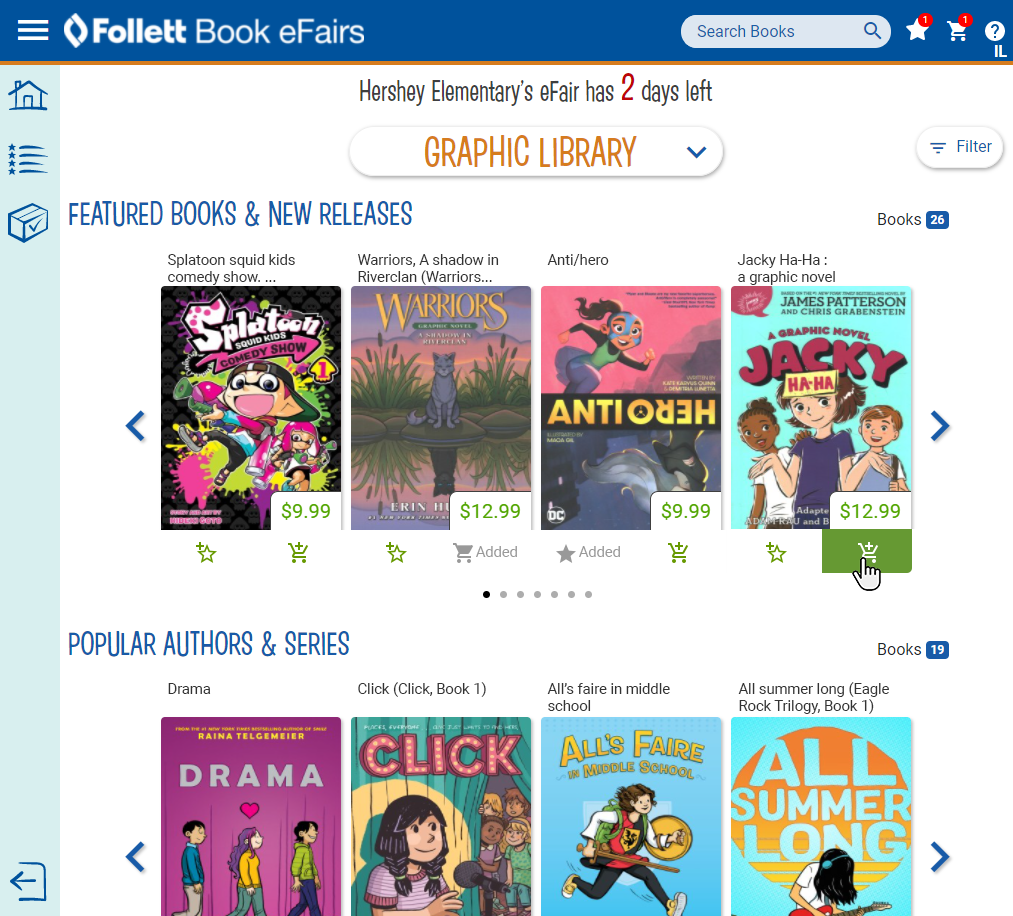
The storefront experience centered on familiar ecommerce patterns: featured titles, categories, wish lists, book cards, prices, shopping cart actions, and mobile-friendly discovery. The design needed to feel playful enough for a school book fair while remaining clear enough for parents completing a purchase.
Checkout Experience
Reducing Friction in the Purchase Flow
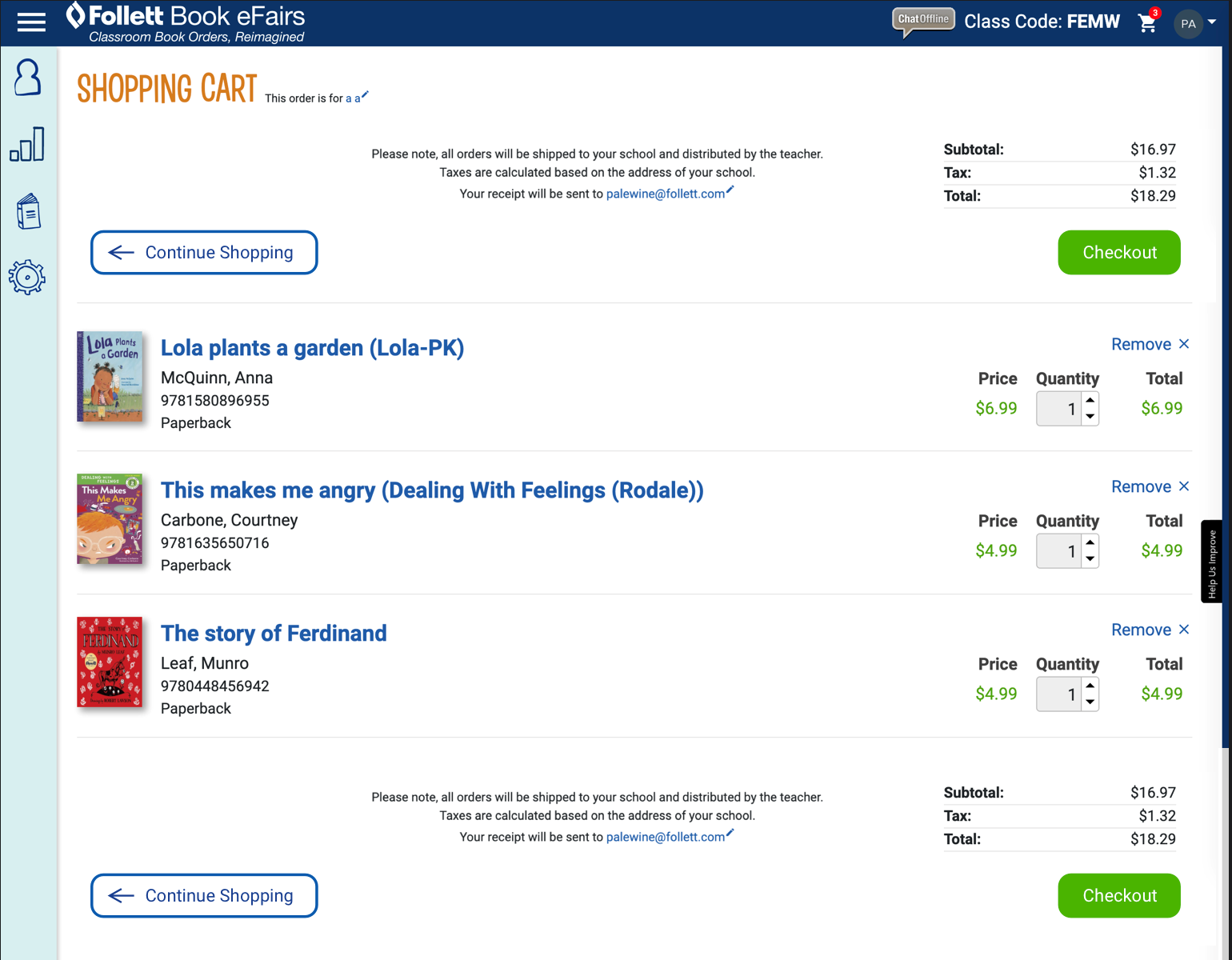
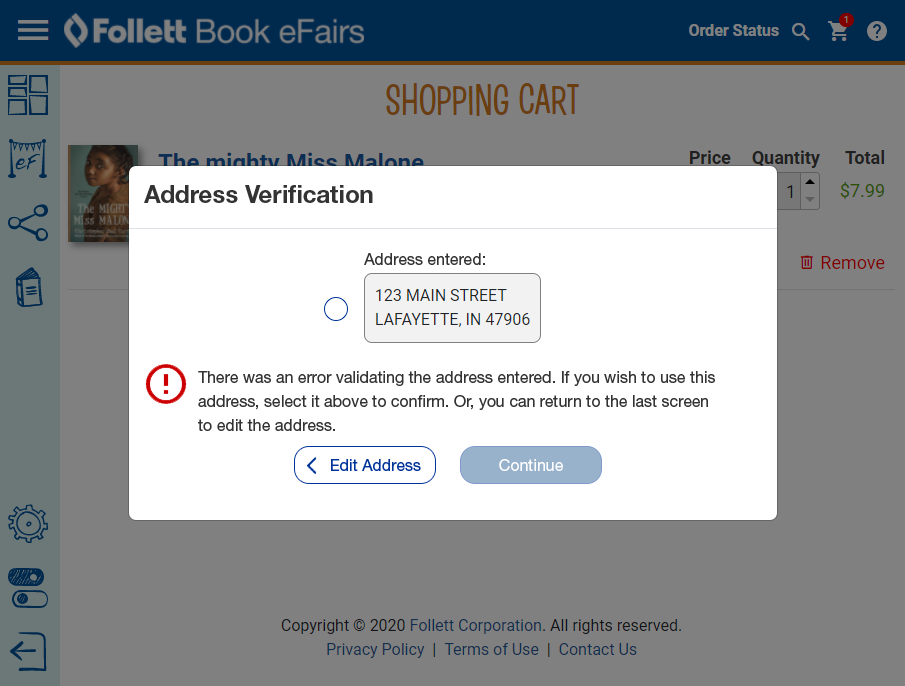
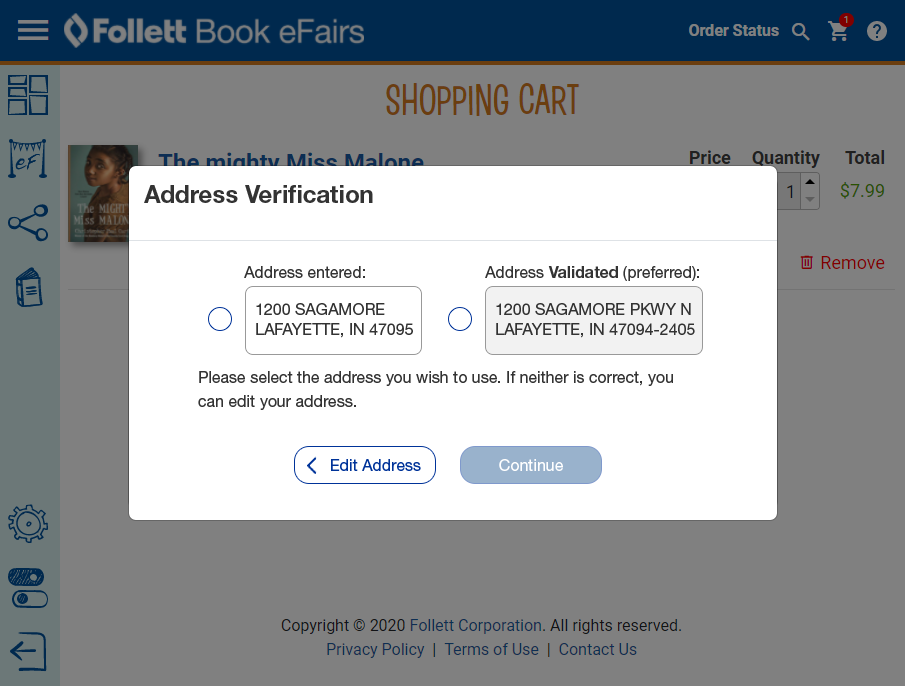
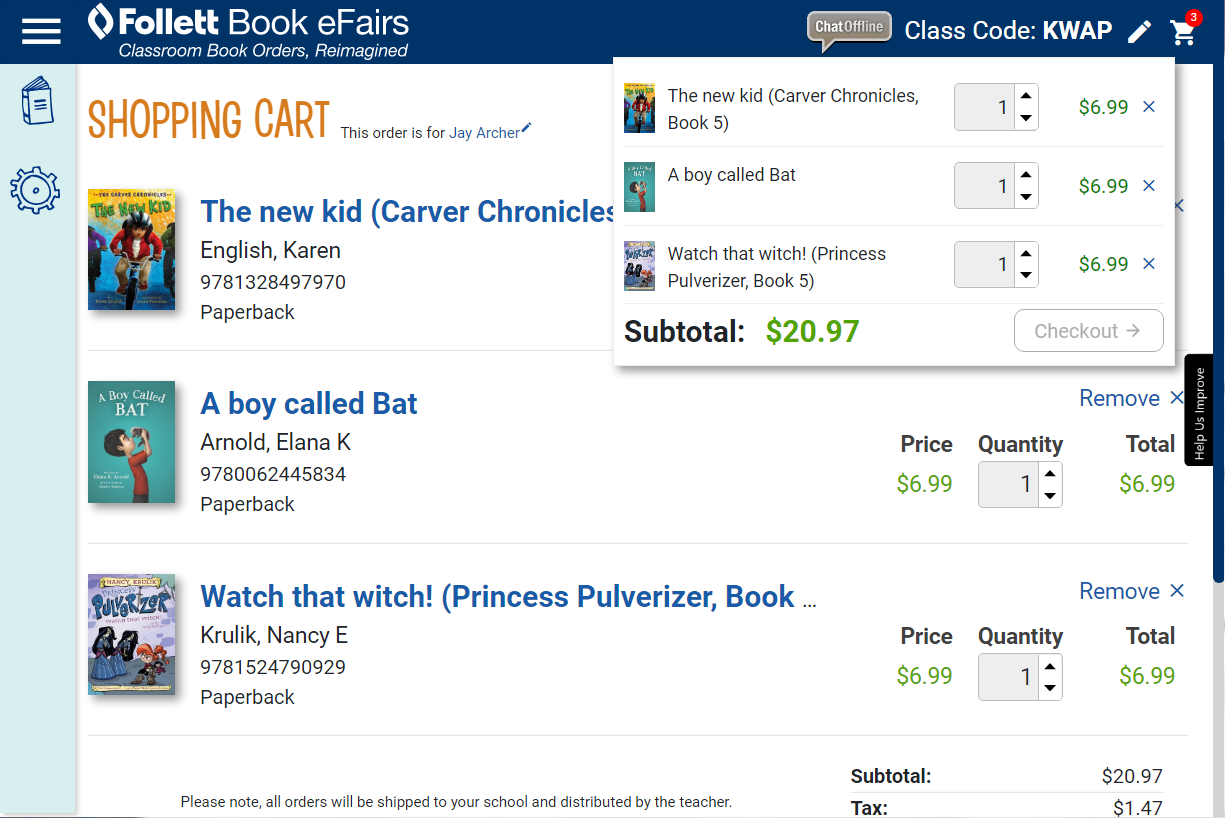
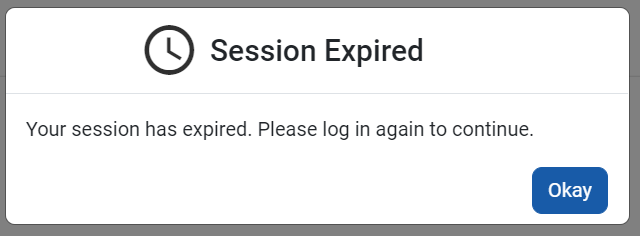
The checkout experience needed to be clear, forgiving, and confidence-building. Small moments such as quantity edits, cart previews, address confirmation, error handling, and session timeouts mattered because they directly affected whether families completed their orders.
Responsive Design
Designing for Mobile Book Discovery
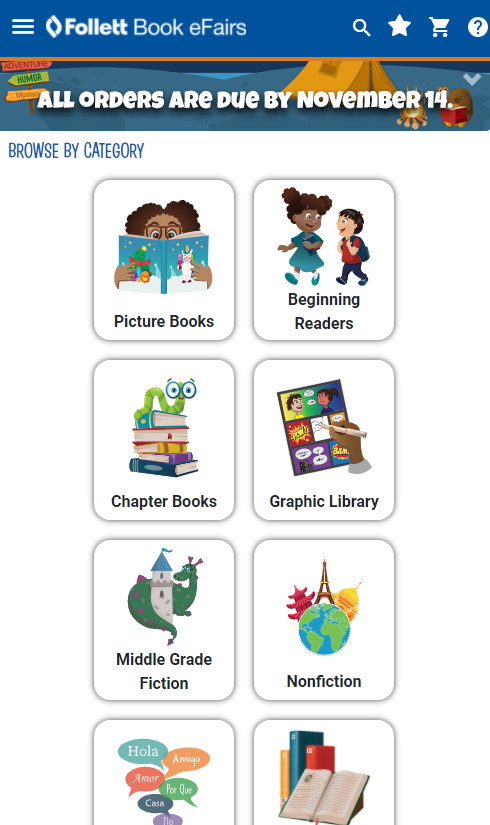
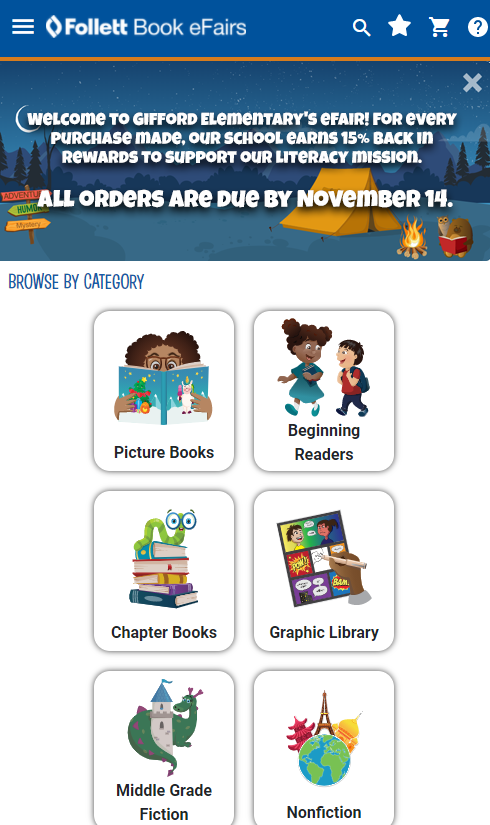
Mobile screens were critical because families might discover, browse, and shop an eFair from anywhere. Category cards, banner messages, compact navigation, and touch-friendly cart actions needed to remain clear in a narrow viewport.
Promotion Tools
Helping Coordinators Promote Their eFair
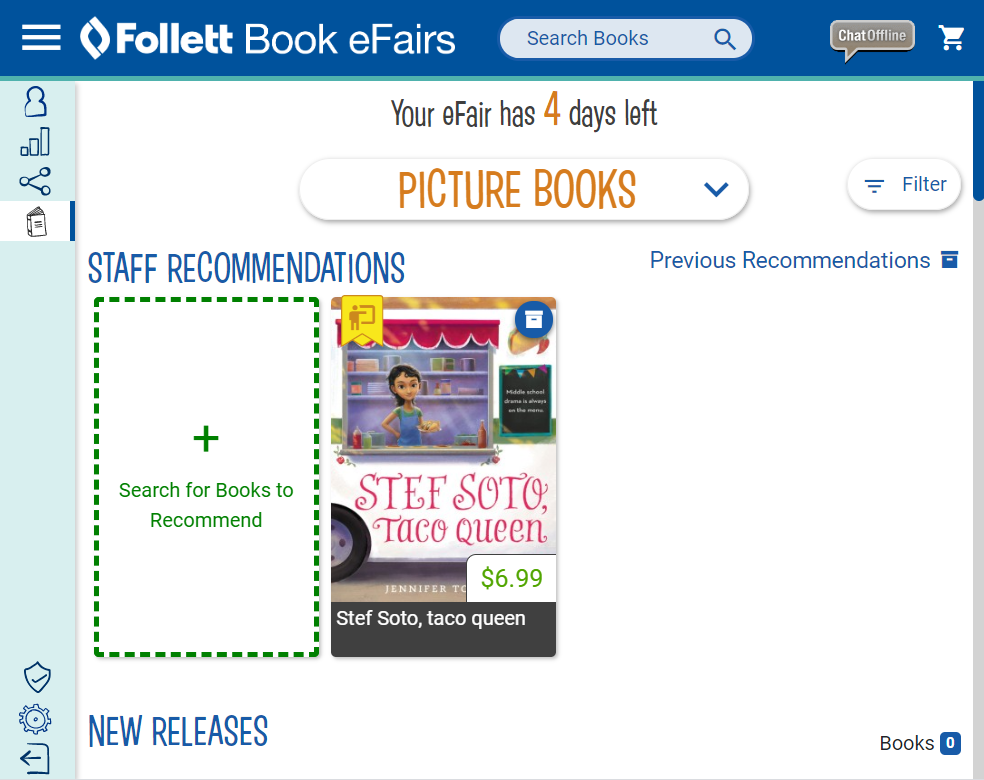
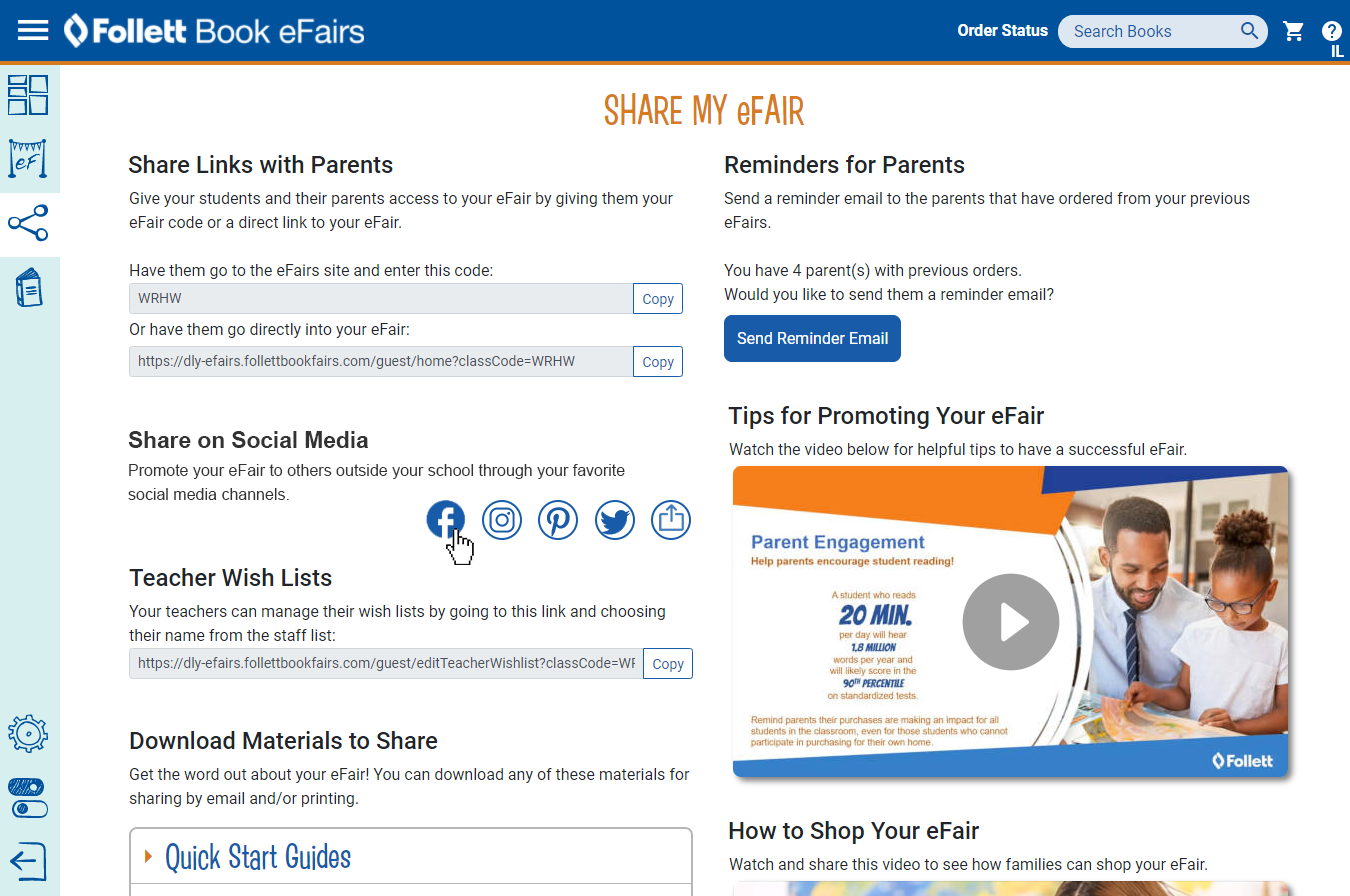
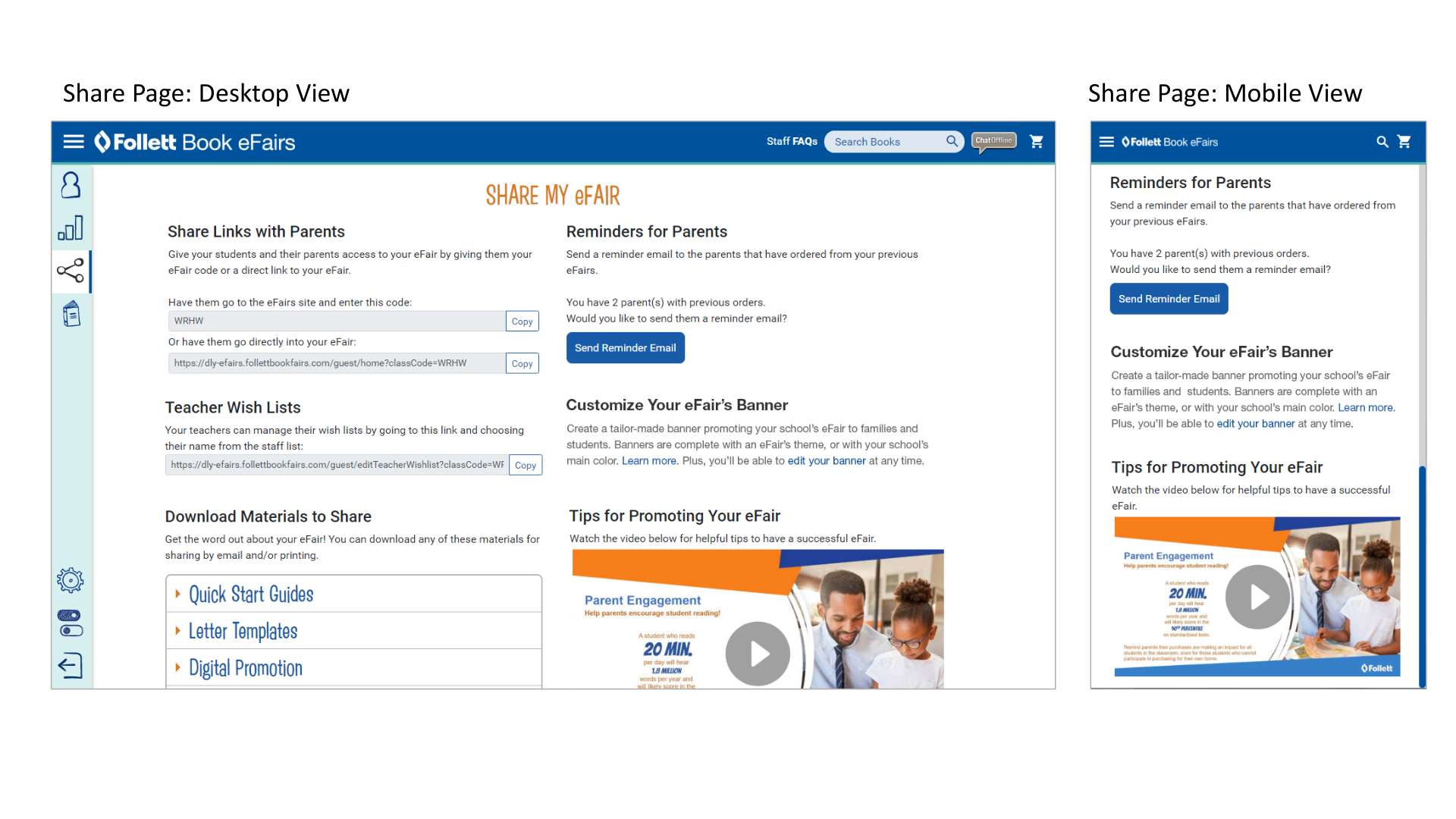
A successful online book fair depended on promotion. The coordinator experience brought share links, parent reminders, social media actions, teacher wish lists, downloadable materials, and instructional videos into one operational hub.
Custom Banner Creator
Building a Guided Promotional Design Tool
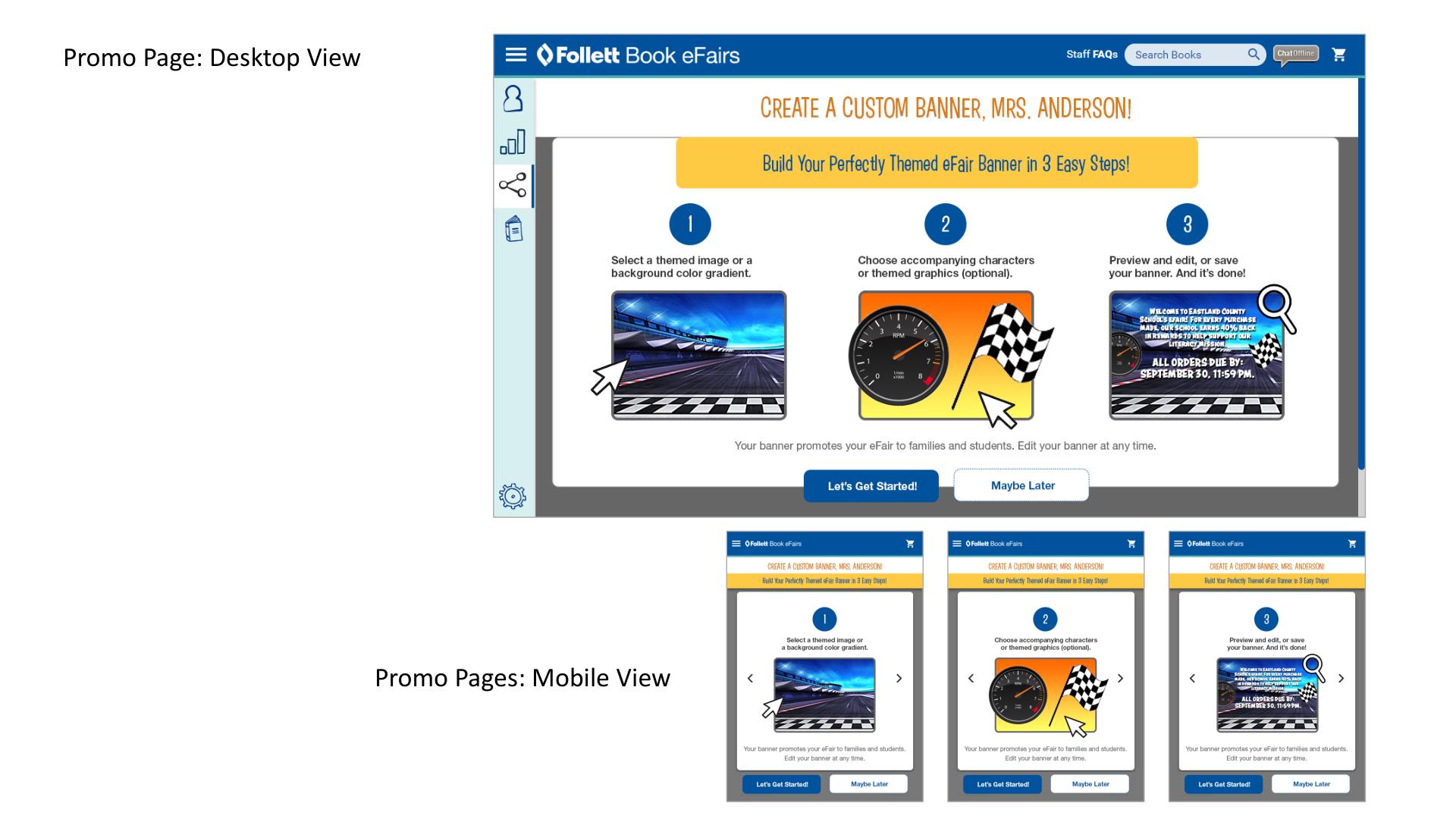
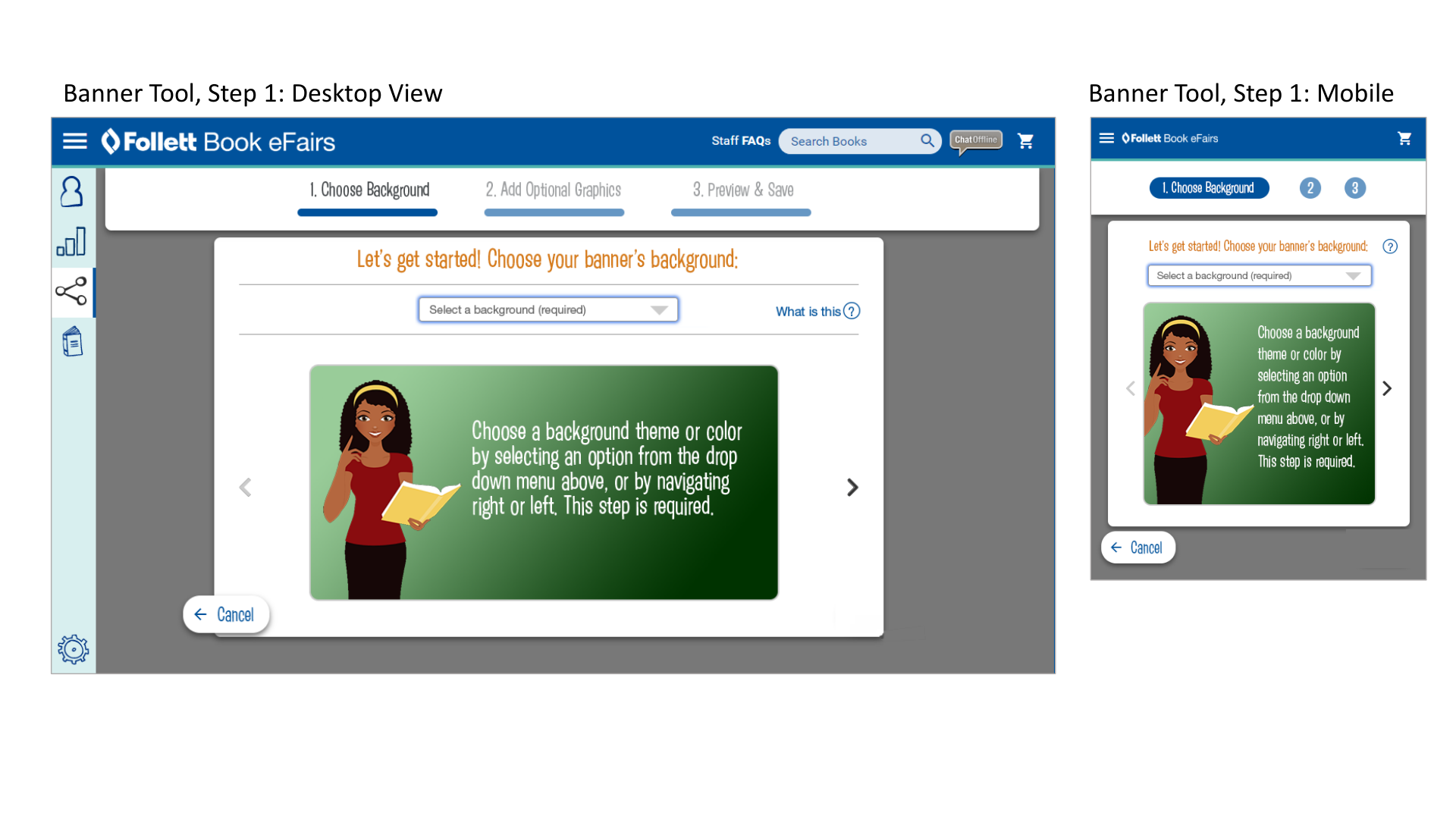
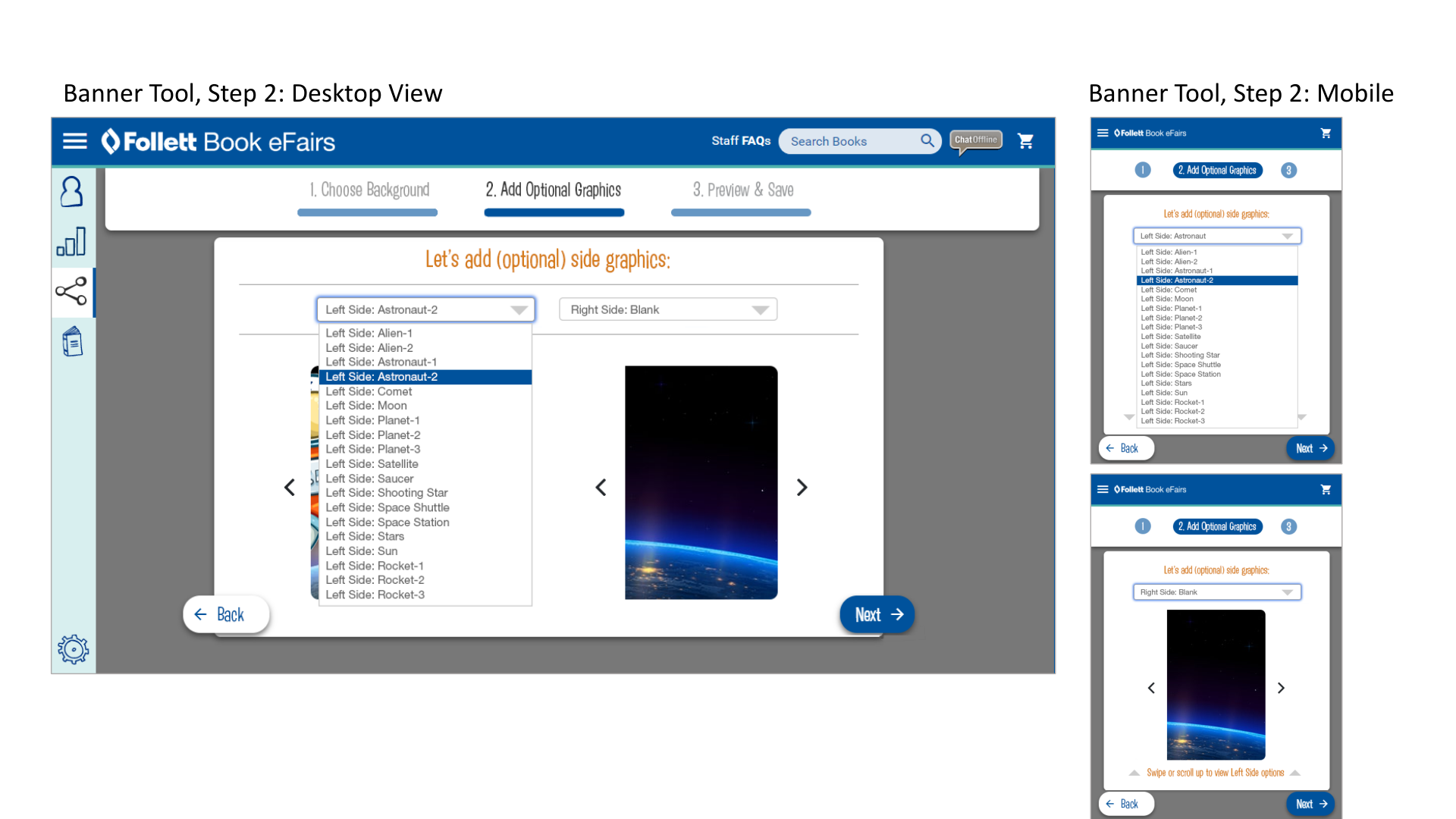
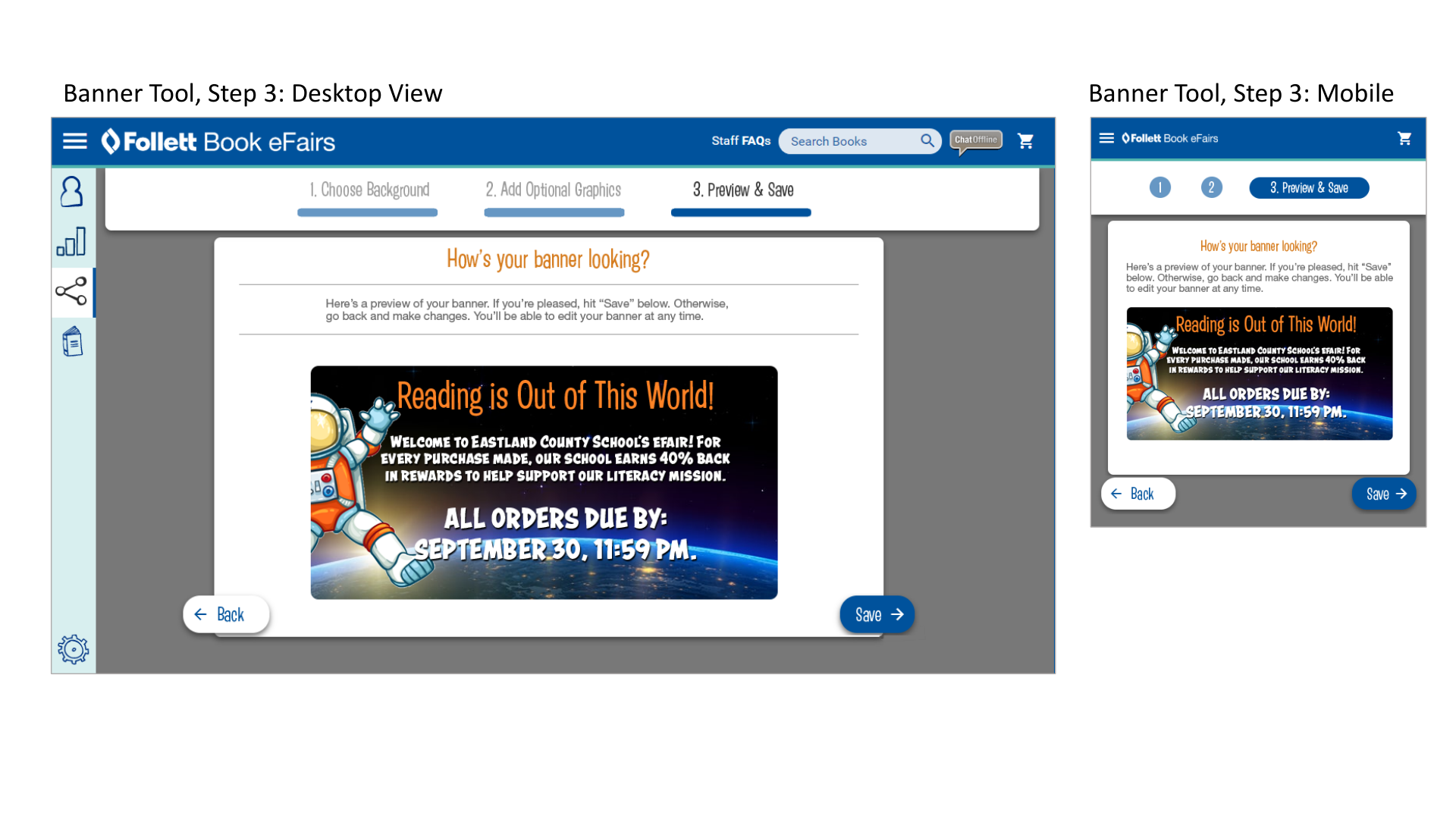
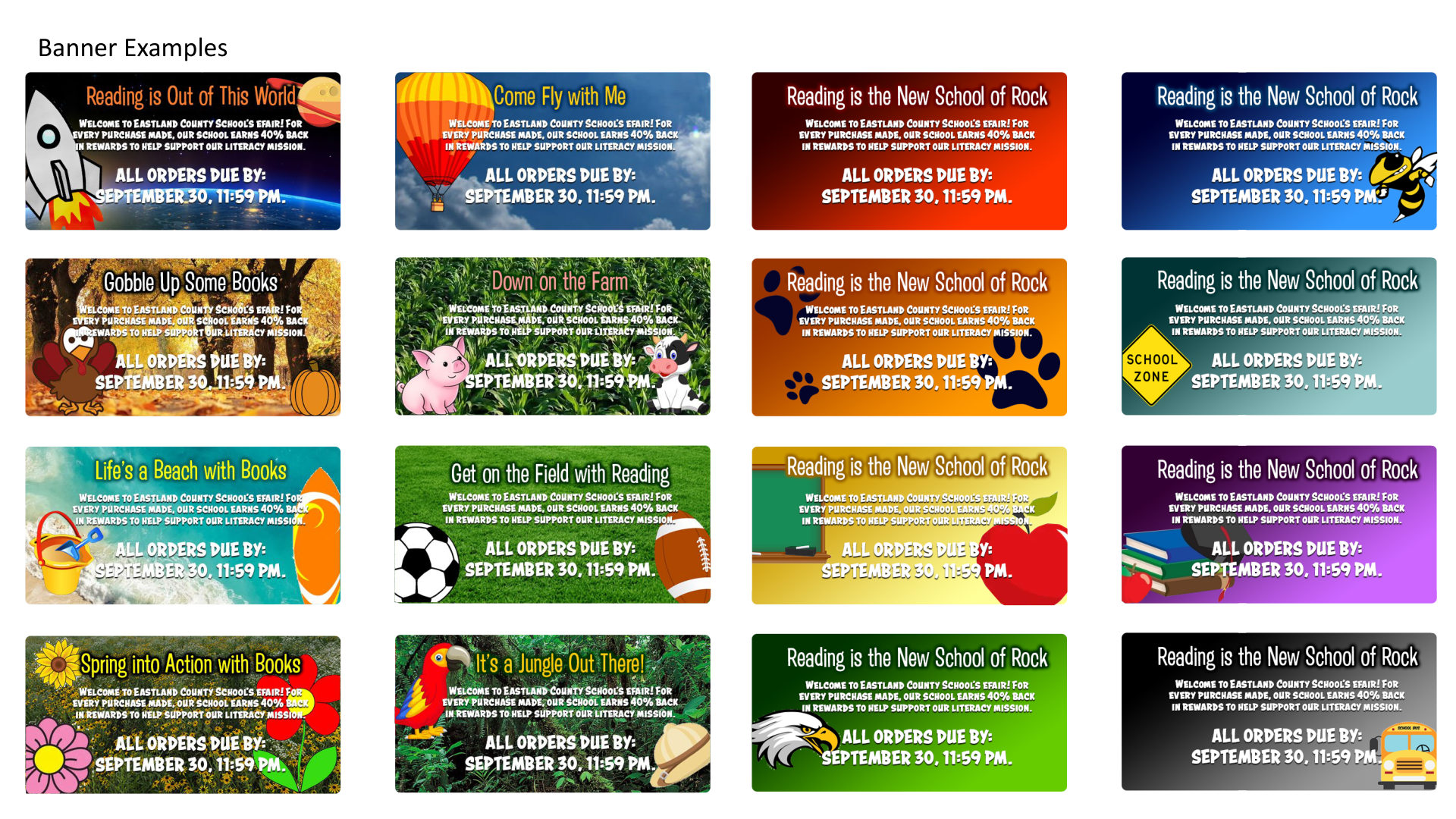
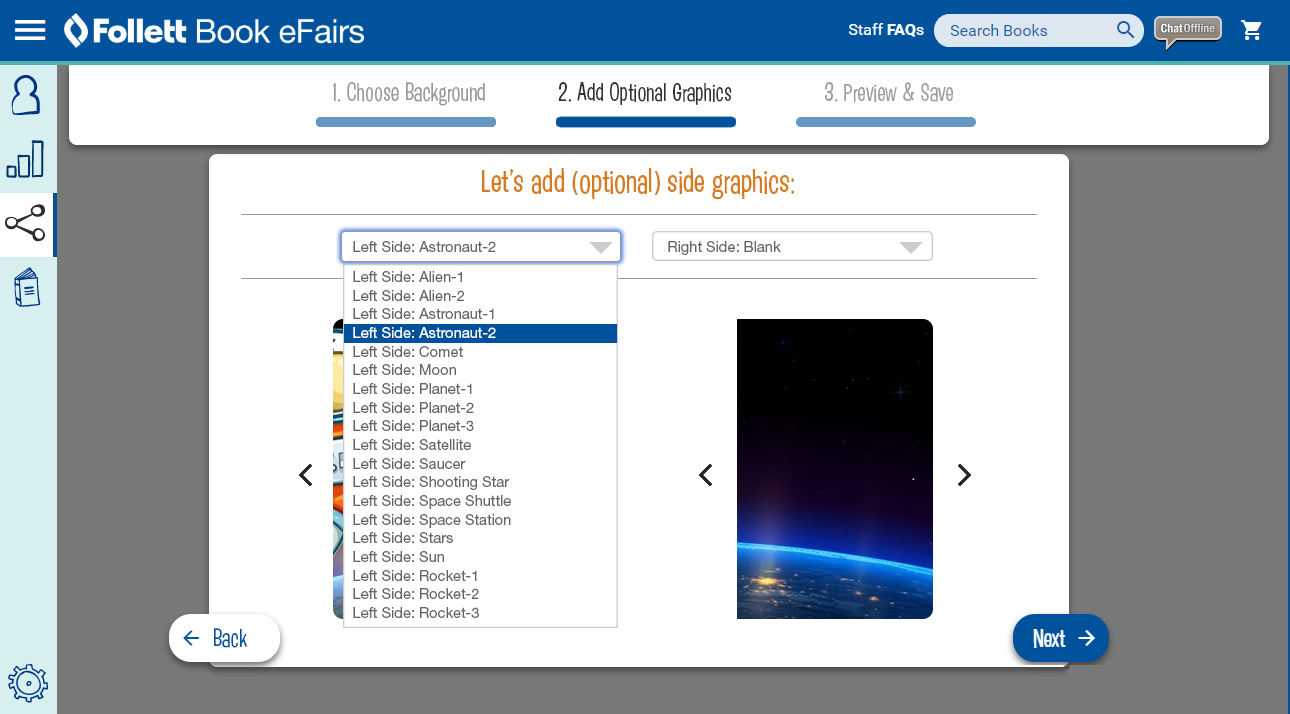
The banner creator allowed schools to build themed promotional banners for their eFairs without requiring design support. The workflow was intentionally simple: choose a background, add optional graphics, preview the final banner, then save.
Design Principles That Guided the Banner Tool
- Make customization approachable: The experience used a guided wizard rather than a blank canvas.
- Prevent broken layouts: Backgrounds, graphics, and preview states were constrained to preserve quality.
- Support mobile and desktop: The same workflow worked across large and narrow screens.
- Give schools ownership: Coordinators could create banners that felt specific to their school, theme, and event timing.
- Reduce production dependency: Common promotional needs could be handled directly inside the product.
Administration
Designing for Internal and Operational Users
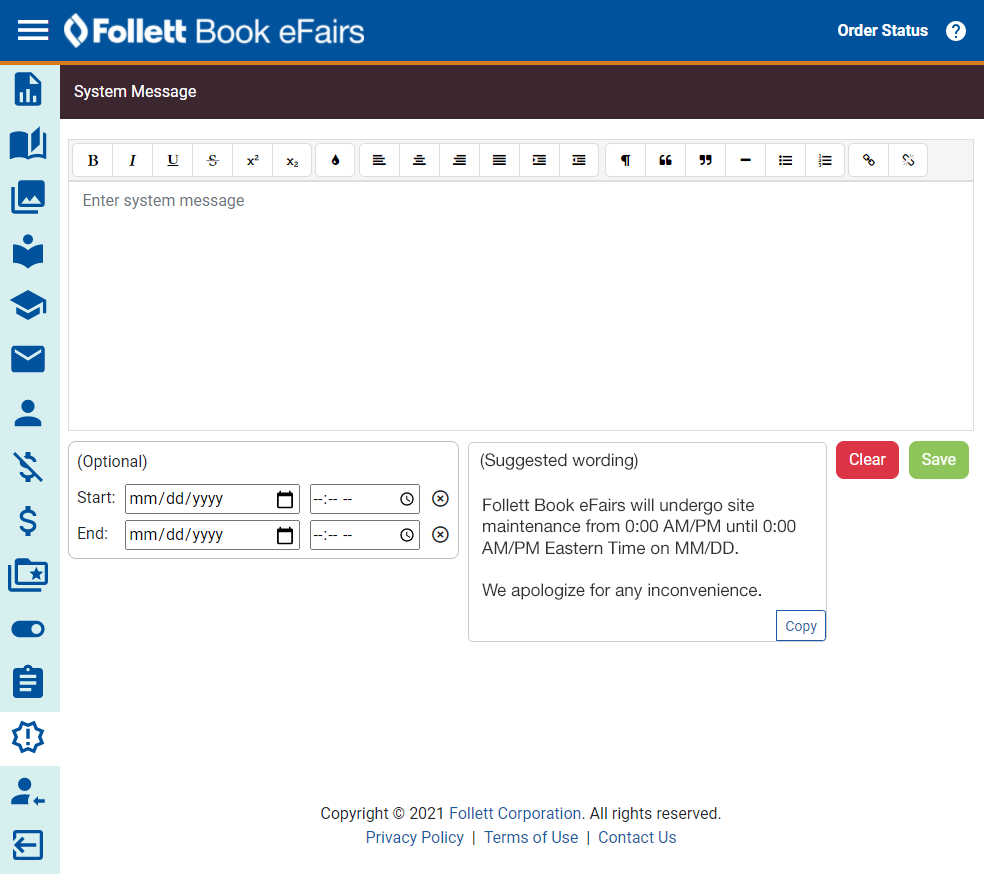
The product also required internal tools for maintaining content, configuration, banners, themes, gradients, and system messages. These workflows were less visible to shoppers, but they were essential to keeping the platform flexible and maintainable.
Research & Strategy
Understanding the Competitive Landscape
The product work was informed by competitive review, market comparison, mobile experience evaluation, and analysis of adjacent online book fair models. This helped ground the redesign in user expectations, ecommerce conventions, and school fundraising needs.
Project Outcomes
- Modernized a traditional school book fair model into a responsive digital commerce experience.
- Created shopping, wish list, cart, checkout, and address verification patterns for family purchasing workflows.
- Designed promotion tools that helped coordinators share fairs, send reminders, support teacher wish lists, and download materials.
- Developed a custom banner-builder concept that let schools create themed promotional graphics through a guided workflow.
- Supported internal teams with administrative tools for messaging, configuration, themes, gradients, and content management.
- Balanced playful book discovery with the practical needs of ecommerce, fundraising, support, and operational administration.
Reflection
Follett Book eFairs is a strong example of product design extending beyond the most visible customer interface. The shopper experience mattered, but the success of the platform also depended on the hidden workflows around promotion, administration, messaging, support, and configuration.
Looking back, I would continue pushing the system toward even clearer accessibility support, stronger content personalization, simpler analytics for coordinators, more flexible campaign templates, and improved mobile-first management tools. I would also explore AI-assisted book recommendations, automated promotion suggestions, and smarter audience segmentation for schools with different reading goals.
A successful digital product often depends as much on the workflows behind the experience as the screens customers see.
Supporting Documentation
Original Project Artifacts
The complete supporting decks are included as historical project artifacts for deeper review of competitive research, custom banner concepts, and product planning.